Microsoft

UX Designer

The success of IE9's Most Frequently Used new tab page proved users wanted fast access to the sites they cared about. When IE10 removed favorites, the backlash was immediate and IE11 had to reverse course. Edge was an opportunity to learn from that history and double down on surfacing saved content and instant answers from the start.

Contributed UX design to Microsoft Edge, a site-centric browser that puts content first with features like Web Note, Reading View, and the Hub for quick access to favorites, history, and downloads.

Microsoft Edge

Microsoft Edge is the new web browser from Microsoft. It lets you write on webpages with Web Note, read without distractions, and do more online. Today, a browser should do more than browse. Every click, swipe and search should move you forward.
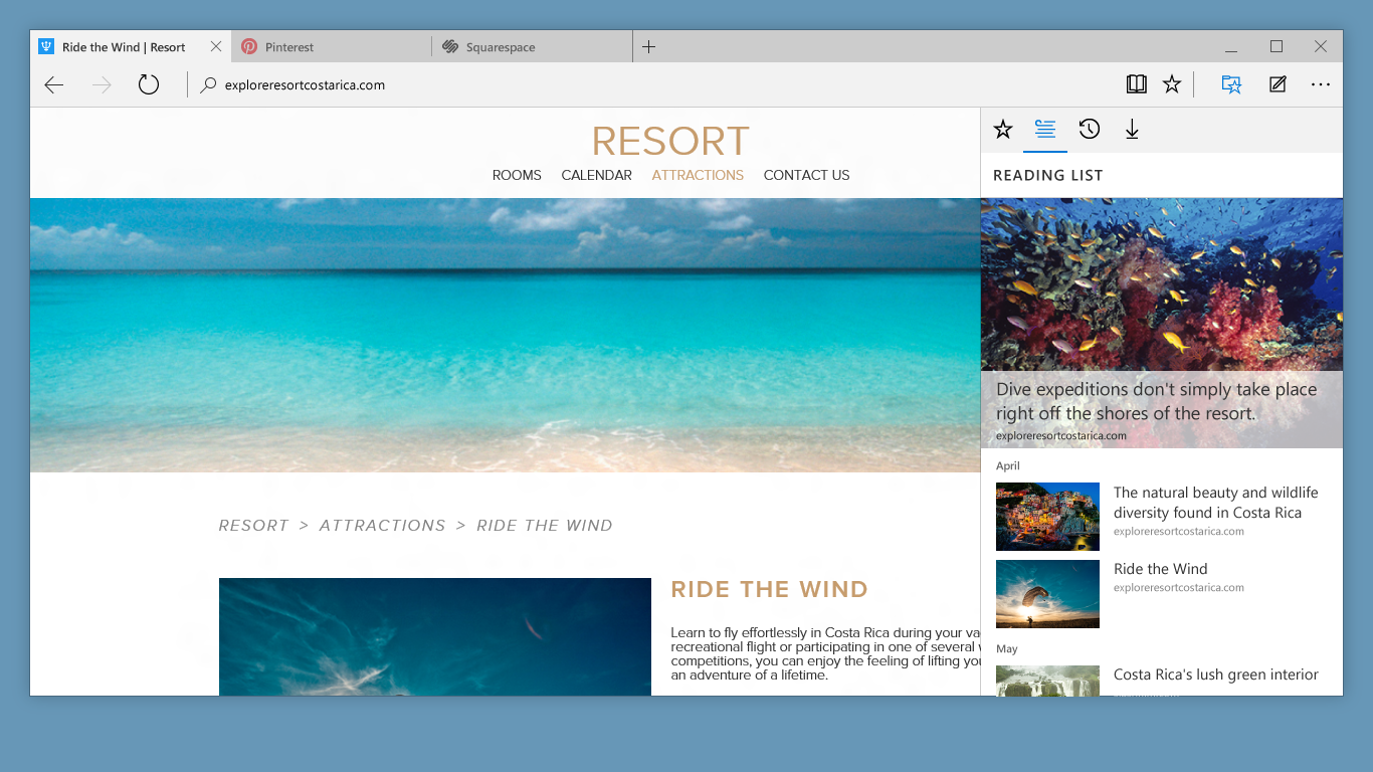
Microsoft Edge Hub providing access to favorites, reading list, history and downloads

The Hub provides quick and easy access to favorites, reading list, history, and downloads
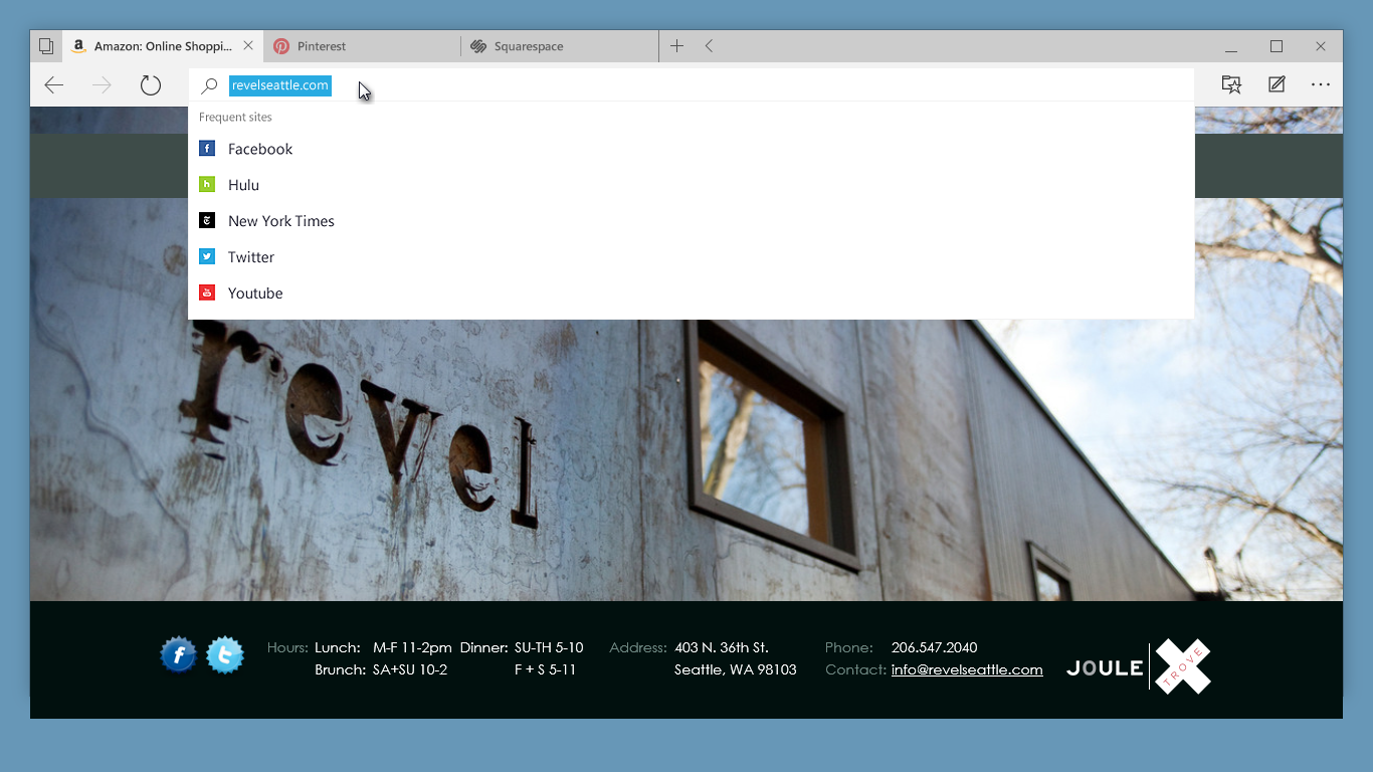
Edge address bar showing most frequent sites

Click in the address bar to see your most frequent sites

Building on what the data already told us

IE9 demonstrated that surfacing a user's most frequently visited sites on the new tab page meaningfully reduced time to navigation. IE10's removal of the favorites bar tested whether users had moved on. They hadn't. The response was clear enough that IE11 restored it. Edge took that signal seriously. The Hub consolidated favorites, reading list, history, and downloads into a single persistent destination, while improvements to the address bar surfaced instant answers and frequent sites without requiring a full search. The things users reach for most should require the least effort to find.
Adobe Creative Suite, Expression Blend

Stay One Step Ahead

Manage your favorites in one place. Use the Hub for quick and easy access to all of your favorite sites, reading list, what's in your history, recent downloads and more. Microsoft Edge helps you stay one step ahead—simply click in the address bar to see your most frequent sites.

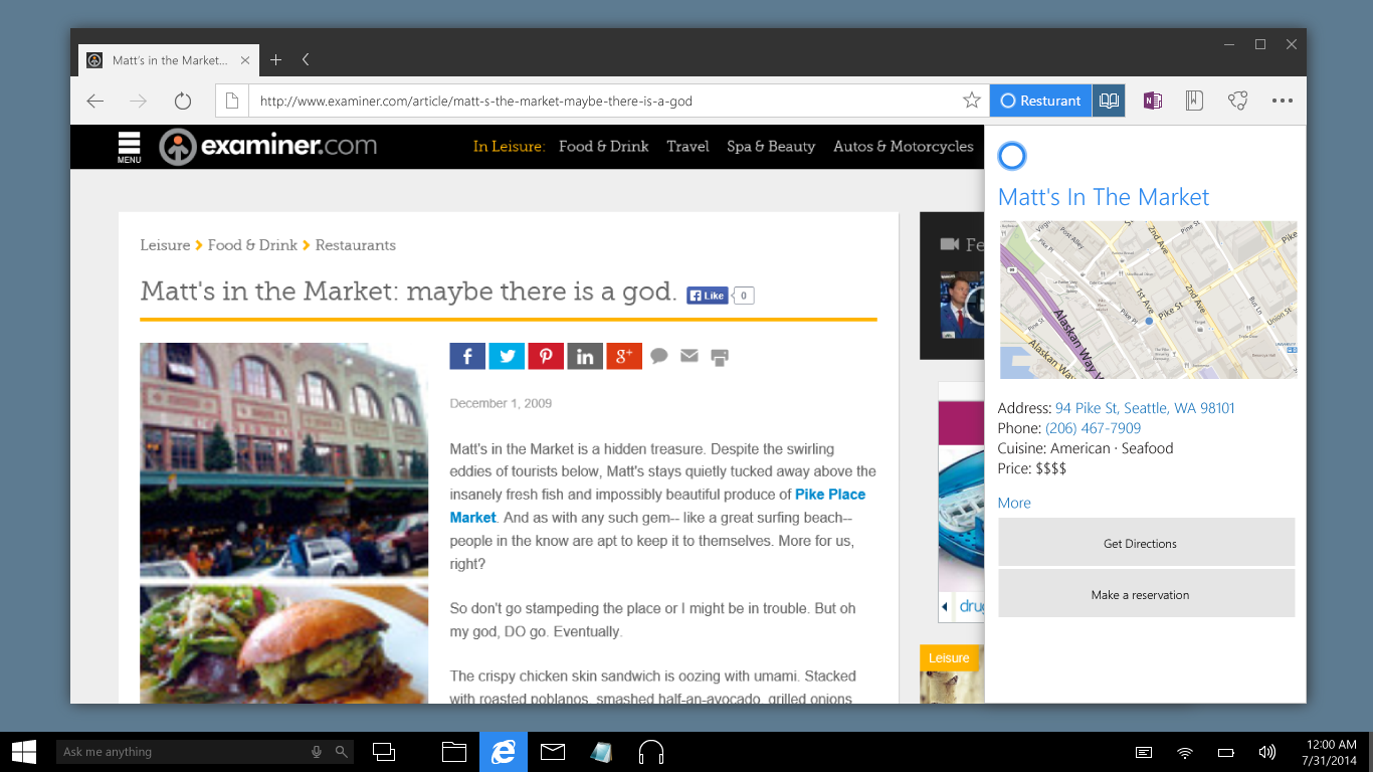
Right-click Cortana integration for instant answers without leaving the page

Use a simple right-click to ask Cortana about any subject without leaving the webpage

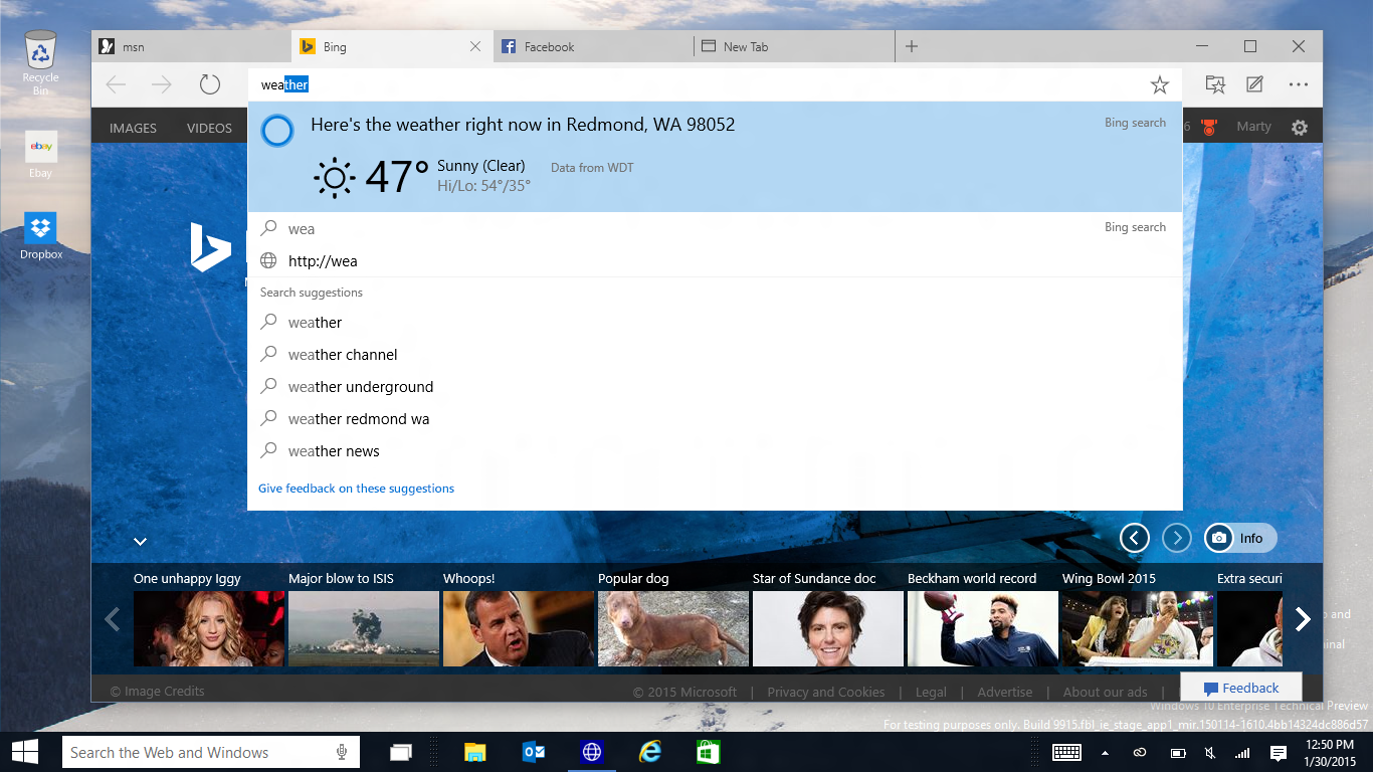
Edge address bar showing instant results for weather, measurements and sports scores

Get instant results for weather, measurements, conversions, and sports scores right in the address bar

Don't Just Search. Find It Faster.

Get thousands of answers right in your address bar. Just type to get instant results for weather reports, measurements, conversions, sports scores and more.

Discover more about any subject without leaving the web page you're on. Just use a simple right-click to ask Cortana, your built-in personal assistant.

Next: Windows

Marty Hall International Logo

Check out my About or Resume