Internet Explorer 9
“The most striking difference between this browser release and the IEs of old is the new user interface. It's sleek and minimal…”
- Michael Calore | Wired
Internet Explorer 9 is site-centric, as opposed to browser-centric. You have the websites you love with a clean look that makes your websites shine. Because modern websites include much of the functionality that browsers had in the past, the new browser frame emphasizes the controls that are necessary for browsing, with customizations available to show more controls.
Role:
UX Designer
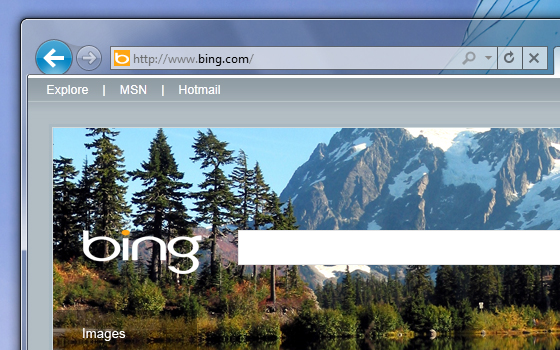
Designed to highlight only the controls that you use most, the navigational controls in Internet Explorer 9 are streamlined and simplified.
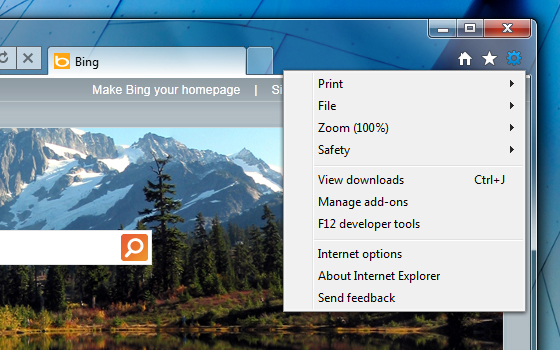
The Tools menus are consolidated into a single drop-down menu.
Company:
Microsoft
Tools:
Adobe Creative Suite, Expression Blend
New Tab Page
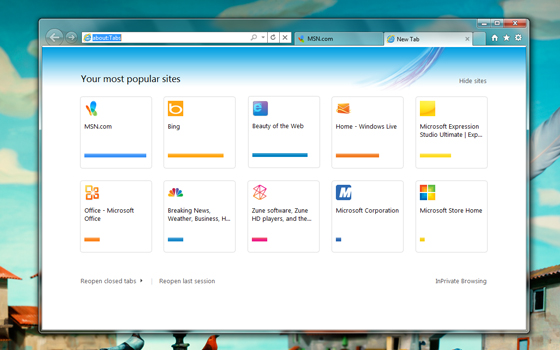
We know that when people create a new tab, their intent is to navigate. Internet Explorer 9 focuses on making this experience fast by visually suggesting the sites you want to visit.
The new tab page displays tiles for the sites that users visit frequently, to help get users where they want to go quickly and without hesitation. Each site's icon and primary color is used to help you identify sites more easily.

Each site's icon and primary color is used on the New Tab page to help you identify sites more easily.
Sketching and Redlines
Sketching is an intergral step in fleshing out ideas for a new feature.
These sketches were used in defining the New Tab page in IE 9.
Redlines are the way to call out the details like spacing, color, and accessibility.
Redlines for the back button and new address bar.
Specification for different contrast personalization themes.
Sites Shine
Designed to highlight only the controls that you use most, the navigational controls in Internet Explorer 9 are streamlined and simplified. The Tools menus are consolidated into a single drop-down menu, creating a cleaner interface that puts websites front and center.
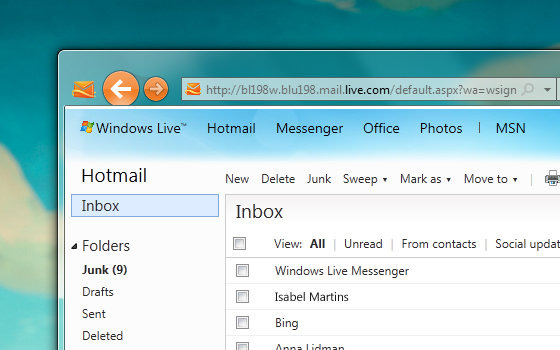
Primary colors and icon from the website integrate into the browser

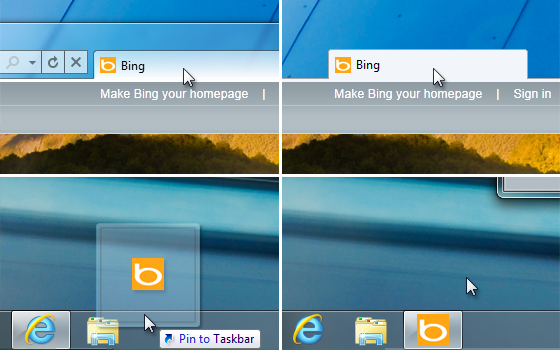
Drag a tab to the taskbar to pin the site for one-click access
Pinned Sites
Internet Explorer 9 delivers one-click access to websites pinned directly to your taskbar, fewer interruptions, and navigation that works seamlessly and intuitively with Windows 7.
Primary colors and icons from the website integrate into the browser, making each pinned site feel like a native application.
© 2025 Marty Hall International. All rights reserved.